
LOGGFI / SENTINEL Remote temperature monitoring
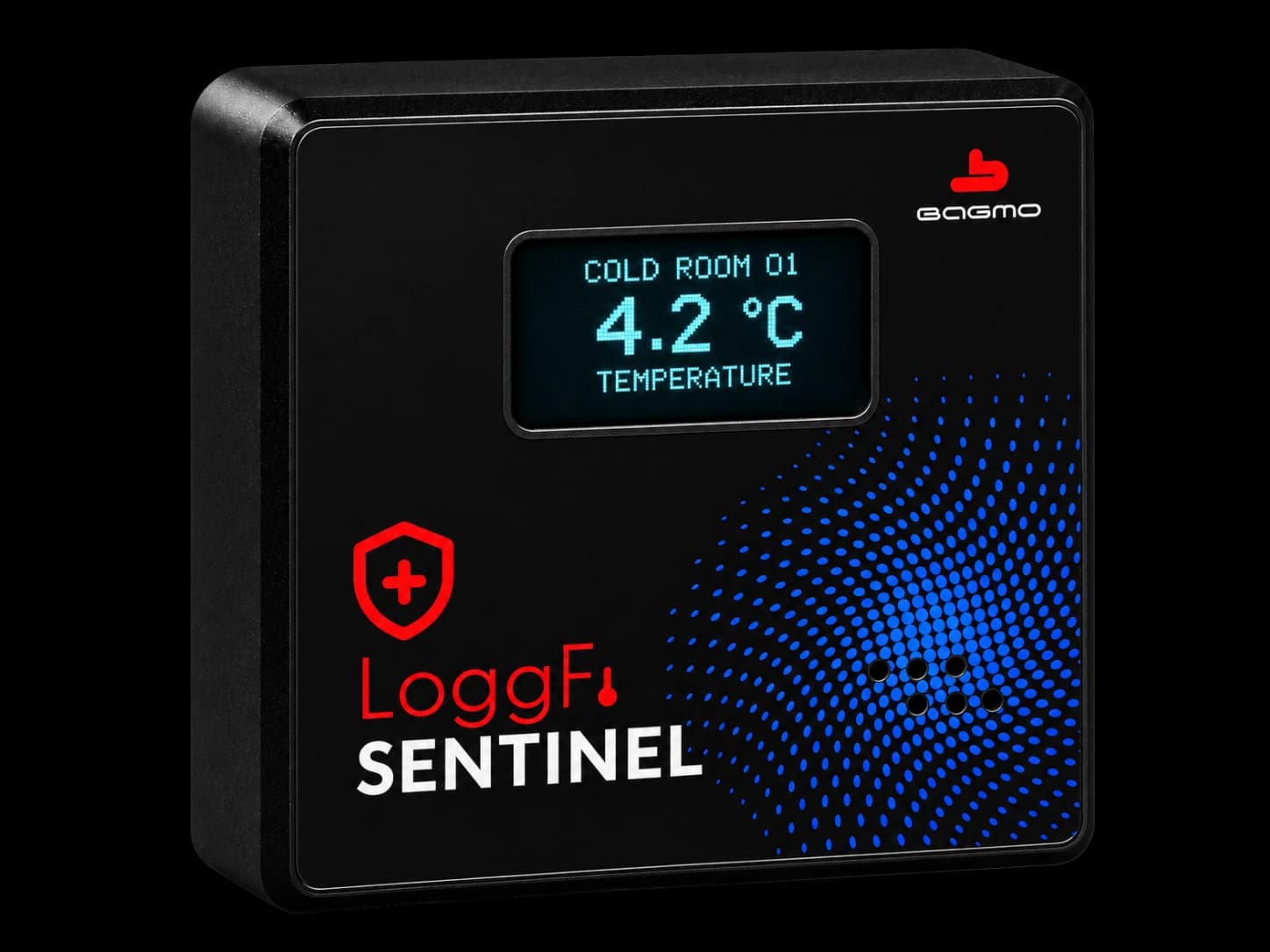
LoggFi SentinelCentral temperature display
& audible alarm.
LoggFi Sentinel brings readings from wireless data loggers in cold rooms, refrigerators and other temperature-controlled storage areas to the workspace where your team is based.
Visible and audible alerts where your team works.
Fewer routine visits.
More time for essential work.
Staff may need to visit storage locations every hour or every 15 minutes to check and record temperatures. These repeated checks take time, interrupt other duties and create a risk of missed readings. LoggFi automates temperature recording, while Sentinel brings visibility and audible alerts closer to the people responsible.
01 / HOW IT WORKS From measurement to attention
At the storage location.
In view at your workspace.
The logger records the temperature. Sentinel displays the reading and brings an audible alert to the team responsible.
- 01
Monitor at the storage location
A LoggFi wireless data logger measures and records the temperature in the cold room, refrigerator or other temperature-controlled storage area.
- 02
View from a central location
Sentinel displays readings from the remote devices in an office, staff room or monitoring station, keeping storage conditions in view.
- 03
Hear when attention is needed
If the temperature goes above or below the configured limits, Sentinel activates its built-in hooter.
- 04
Respond to the alert
The audible alarm draws the team’s attention so they can investigate the affected storage area and take action.
Sentinel adds an on-site audible alert alongside LoggFi’s existing mobile notifications and phone call alerts.
02 / IN PRACTICE Plasma storage and the blood bank office
The freezer is elsewhere.
Awareness stays with your team.
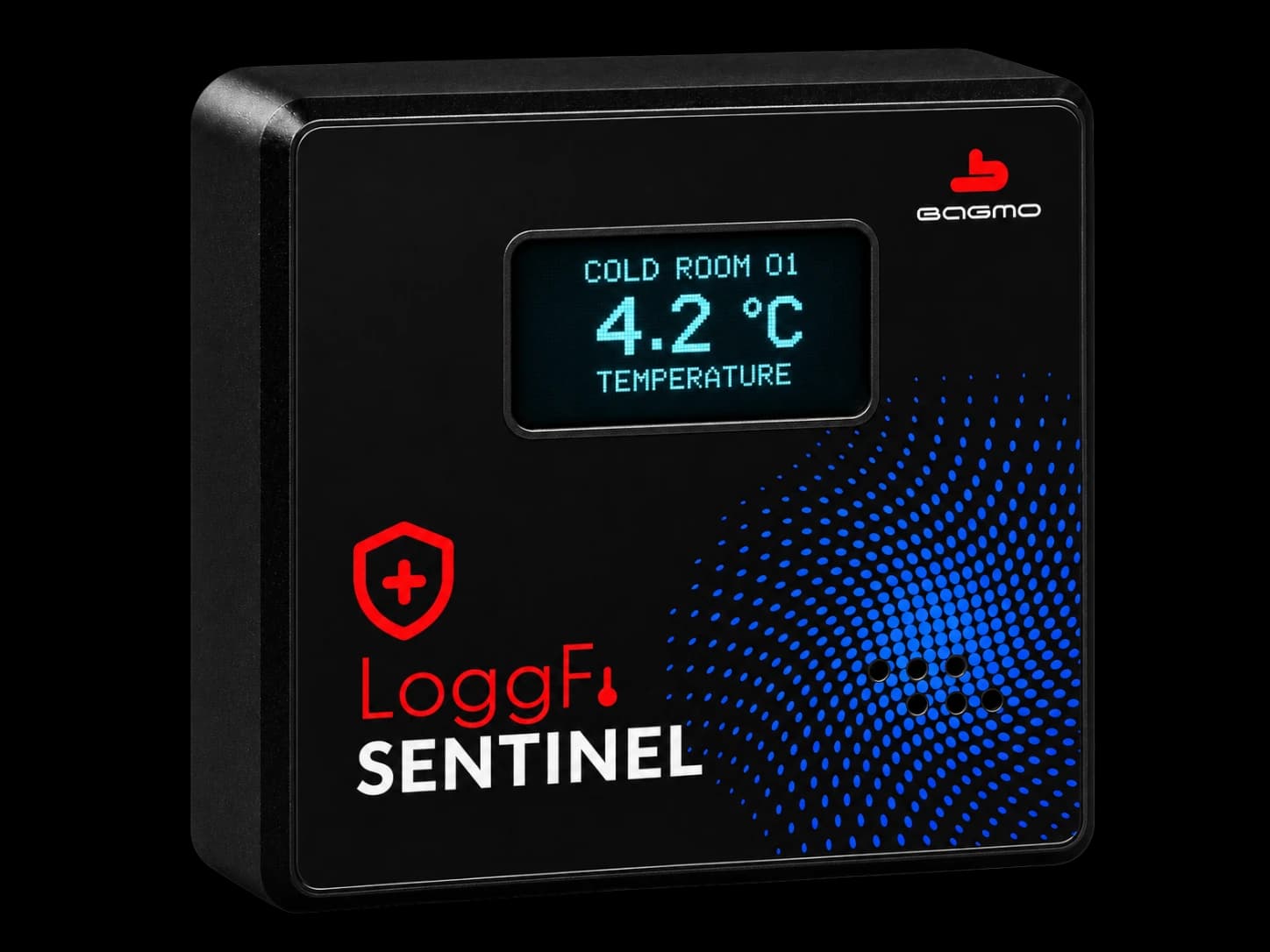 LOGGFI SENTINEL / FRONT VIEW
See the freezer temperature from the office.
A plasma storage freezer may be located some distance from the blood bank office. With a LoggFi wireless data logger monitoring the freezer and Sentinel installed in the office, staff can view its temperature without repeatedly walking to the storage area.
If the temperature crosses the configured limits, Sentinel sounds its hooter, alerting the team in the office to check the freezer.
03 / APPLICATIONS Where storage and staff work apart
Keep temperatures close.
Across working environments.
Place Sentinel where your team can see the readings and hear when a storage location needs attention.
Pharmaceutical facilities
Temperature-controlled storage rooms may be away from the production or quality team. Sentinel displays their temperatures in a central monitoring area and sounds an alarm if a limit is breached, helping staff investigate promptly.
Medicine distributors
Temperature-sensitive medicines may be stored in refrigerators or cold rooms at the back of a warehouse. Sentinel brings readings and audible alerts into the billing or dispatch area, reducing repeated visits to check storage conditions.
Laboratories
Refrigerators and freezers hold samples, reagents and testing kits. With Sentinel near the laboratory workstation, staff can keep storage temperatures in view while carrying out tests. A temperature breach triggers the hooter.
Food businesses
In a food processing unit, restaurant or supermarket, cold rooms may be away from the main work area. Sentinel displays their temperatures in the kitchen or supervisor’s office and sounds an alert when a configured limit is crossed.
Ice cream manufacturers & distributors
Freezers or cold rooms may be away from the sales or dispatch team. If the temperature rises above the configured limit, Sentinel sounds its hooter in the staffed area, helping the team respond before prolonged warming affects product quality.
More time for essential work.
Reduce routine visits for temperature checks, support faster awareness of temperature breaches and let staff focus on other responsibilities while keeping storage conditions in view.
Discuss your workspace04 / MODEL OPTIONS Plan the connection at your site
A central display.
WiFi or GSM options.
The LoggFi catalogue lists these Sentinel models. Choose the connection with your team and confirm compatibility with the loggers in your monitoring setup.
SMD102SL / HOOTER + DISPLAY
GSM Sentinel
For a workspace using a compatible GSM/GPRS (2G) connection. Confirm SIM arrangements and operator coverage at the installation point.
Quote for SMD102SLWTD102SL / HOOTER + DISPLAY
WiFi Sentinel
For a workspace with suitable facility WiFi and internet access. Check network access where Sentinel will be installed.
Quote for WTD102SLModel options from the LoggFi catalogue. Discuss monitoring-point count, power, connectivity, display updates and alarm settings during your demonstration.
05 / QUESTIONS Before you install
A clearer picture
of your Sentinel setup.
How Sentinel works with your LoggFi devices, your alerts and the place where your team works.
What is LoggFi Sentinel?
LoggFi Sentinel is a central temperature display and audible alarm device. It displays readings from LoggFi wireless data loggers installed in remote storage locations and activates its built-in hooter when a temperature goes above or below the configured limits.
Does Sentinel replace the logger at the storage location?
The LoggFi wireless data logger measures and records temperature at the storage location. Sentinel brings those remote readings and an audible alert into the workspace where the responsible team is based. They work together as part of the monitoring system.
When does the built-in hooter sound?
Sentinel activates its built-in hooter when a monitored temperature goes above or below its configured limits. Your team can then investigate the affected storage location and follow its response procedure.
Does it work alongside mobile notifications and phone call alerts?
Yes. Sentinel adds an on-site audible alert alongside LoggFi’s existing mobile notifications and phone call alerts. This brings another way to draw attention to a temperature breach while the team is at work.
Where should we install Sentinel?
Choose a staffed location such as an office, staff room, laboratory workstation or monitoring station. Position the display where the team can see it and check that the hooter can be heard in the normal working environment.
What should we discuss before ordering?
Share the storage locations you monitor, your existing LoggFi logger models, the number of monitoring points and where the team works. Confirm device compatibility, the required connection and power arrangements, configured temperature limits, display updates and alarm operation for your setup.
LET’S CONNECT Bring Sentinel to your workspace
Keep your storage in view—even when it is away from your workspace.
Tell us where your storage is, where your team works and which LoggFi devices you use. We’ll help you plan a Sentinel setup and demonstration.